
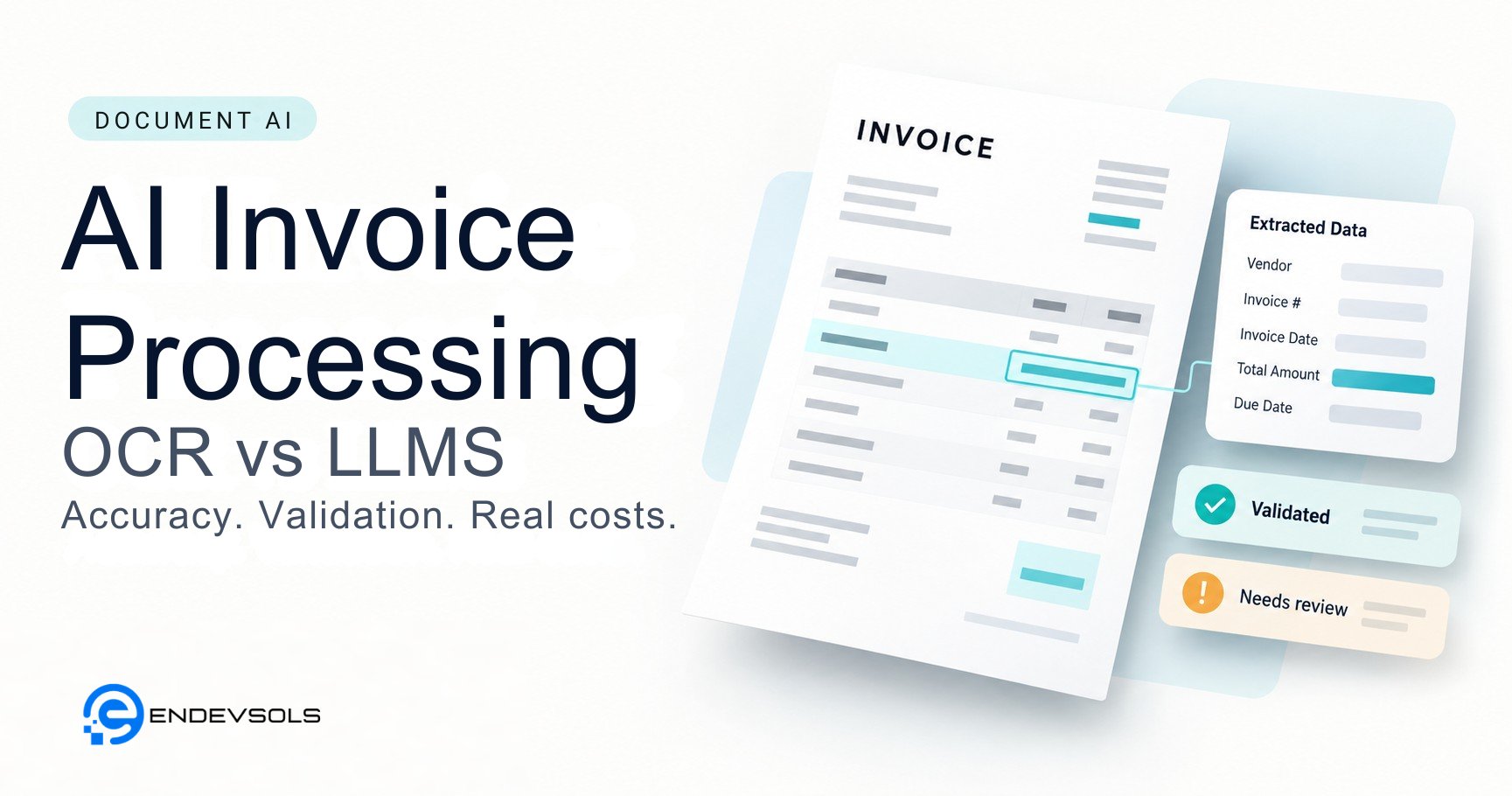
An invoice arrives as a PDF. The system reads the supplier, invoice number and total, then returns a clean JSON object. The demonstration looks complete.
The accounts payable team still has questions. Is the supplier already in the accounting system? Does the invoice match a purchase order? Has someone submitted it before? Are the line items assigned to the right tax treatment and account?
Those questions determine whether automation removes work or moves it into a different queue.
AI invoice processing uses document extraction, validation and workflow controls to turn invoices into usable accounting records. OCR reads text; invoice-specific extraction services and large language models can identify fields and relationships. A production workflow must also handle exceptions, approvals and integration.
Choosing the right extraction method matters. So does understanding everything that happens after extraction.
What does AI invoice processing include?
A useful scope starts at document receipt and ends at a defined business outcome: for example, creating a validated draft bill in the accounting system, ready for approval.
That scope usually includes:
- Receiving invoices from email, uploads or connected storage.
- Identifying the document type and separating invoices from statements or credit notes.
- Extracting header fields and line items.
- Checking the extracted values against business rules and reference data.
- Routing uncertain or conflicting cases for review.
- Creating the destination record and retaining its supporting evidence.
Invoice capture, bill creation, payment approval and payment execution are separate stages. A system that extracts a PDF into a spreadsheet has not necessarily automated accounts payable.
Our intelligent document processing services cover the wider pipeline: classification, extraction, validation, review and routing into business systems.
OCR vs LLMs: compare three approaches
“OCR versus AI” is an imprecise comparison. OCR can use machine learning, and modern document services may already extract invoice fields without a template for every supplier.
For example, Amazon Textract's invoice and receipt analysis identifies invoice-related information and normalizes recognized field types. Its AnalyzeExpense API separates summary fields from line-item groups.
The practical comparison is between conventional OCR with rules, invoice-specific extraction services and LLM-based extraction.
| Approach | What it provides | When to evaluate it | What still needs engineering |
|---|---|---|---|
| OCR with rules or templates | Recognized text, often with coordinates, followed by application-specific field mapping | Repeated layouts and well-defined document formats | Template maintenance, table mapping, validation and exception handling |
| Invoice-specific document service | Structured invoice fields and line items within the service's supported scope | Invoices that fit the available schema, language and document support | Supplier matching, business rules, review and accounting integration |
| LLM over text or a multimodal LLM over images | Extraction into a defined schema using document content and instructions | Variable layouts, custom fields or interpretation requirements that justify testing | Grounding, missing-value handling, factual validation, evaluation and cost controls |
There is no responsible universal winner without a representative test set. An invoice-specific service may be sufficient. A multimodal model may help with particular layouts. A hybrid pipeline may improve the trade-off, but adds routing and maintenance work.
Test the simplest approach that could meet the acceptance criteria before adding another model.
Text input and image input have different failure modes
An LLM receiving OCR text cannot recover visual information that was lost before it saw the document. If the OCR output merges two columns or detaches a price from its description, the model may assign the value to the wrong item.
A multimodal model can inspect page images, but that does not make every small digit or dense table reliable. Evaluate both approaches on the formats and scan quality you expect to receive.
Native PDF text extraction is another candidate when documents contain a usable text layer. Check reading order and table structure rather than assuming that selectable text is already suitable for field extraction.
How to design a production invoice processing pipeline
1. Register the document and its processing state
Assign an internal document ID, retain the original file and record its source. Use a file hash to identify exact resubmissions, while recognizing that a rescanned or modified copy will have a different hash.
Track states such as received, extracted, needs review, approved and posted. A failed integration should remain distinguishable from a failed extraction.
2. Extract into an explicit schema
Define the fields the accounting workflow needs. Typical examples include supplier name, invoice number, invoice date, currency, totals, purchase-order reference and line items.
Keep missing values distinct from zero. Preserve the original date text when a date is ambiguous, and retain page references or source regions where the extraction method supports them.
Use decimal arithmetic for financial validation. Store monetary values with explicit precision and currency rather than relying on binary floating-point calculations.
Structured output features can constrain supported model responses to a schema. A correctly formatted object can still contain an incorrect amount or supplier. Schema validation and factual validation are different checks.
3. Apply business rules outside the model
Use application code and trusted records to check what can be checked deterministically:
- Resolve the supplier against the approved supplier master, with review for ambiguous matches.
- Compare the invoice against prior submissions using supplier identity, invoice number and additional signals.
- Reconcile totals using the document's treatment of tax, discounts, freight and rounding.
- Match purchase-order references and, where required, receiving records.
- Validate destination account, tax-code and organizational mappings.
Avoid a single arithmetic rule for every invoice. Credit notes, tax-inclusive prices, partial deliveries and rounding conventions require explicit handling.
Extracted bank details should not automatically overwrite approved supplier payment details. Keep changes to payment information within a separate verification and authorization process.
4. Route exceptions with useful evidence
A reviewer should see the original document, the extracted value and the reason the system stopped. “Supplier could match two records” is more useful than “AI confidence low.”
AWS recommends evaluating confidence scores against the application's sensitivity, with low-confidence results discarded or flagged where appropriate. Treat thresholds as settings to validate on your documents. Scores from different services are not automatically comparable, and an LLM's self-reported confidence is not a substitute for measured accuracy.
Some exceptions should trigger review regardless of extraction confidence, including supplier ambiguity or a material purchase-order mismatch.
5. Make accounting-system writes recoverable
Document extraction can succeed while the destination API times out. Retrying the entire workflow without checking its state can create duplicate bills.
Use idempotency keys where the destination supports them. Otherwise, design deduplication and reconciliation controls around its API behavior. Record the destination ID, posting status and relevant response data.
Where the process needs cross-system investigation or routing, workflow automation can connect the steps. Predictable posting, approval and payment rules should remain explicitly controlled; they do not require an autonomous agent simply because extraction uses AI.
How to measure invoice extraction accuracy
An accuracy percentage is useful only when its denominator and matching rules are clear.
Evaluate a labelled set that reflects actual suppliers, layouts, languages, page counts and scan quality. Include missing fields and difficult cases. Keep an unseen holdout set for the final evaluation; tuning repeatedly on the test documents overstates performance.
For workflows expected to encounter new suppliers, include suppliers or layout families that were not used during development.
| Metric | Definition | Why it matters |
|---|---|---|
| Field accuracy | Correct field values divided by evaluated field instances, under published matching rules | Identifies which fields are reliable and which require work |
| Complete-document accuracy | Documents with every required field correct divided by evaluated documents | Shows whether individually good fields produce usable whole records |
| Line-item accuracy | Correct line-item fields or rows under an explicit row-matching method | Exposes missing rows, shifted columns and incorrect associations |
| Review rate | Documents sent to human review divided by processed documents | Measures remaining operational workload |
| Auto-accepted error rate | Incorrect documents among documents accepted without human review | Measures errors passing the automation gate |
| Processing latency | Elapsed time for a specified machine-processing stage | Supports capacity planning; report median and tail latency |
Define normalization before scoring. Whitespace can usually be normalized; a leading zero in an invoice identifier may be meaningful. Dates, currencies and monetary values need explicit comparison rules.
Report critical fields separately. Correctly reading a supplier address does not compensate for an incorrect invoice total. Audit a sample of auto-accepted records as well as reviewed ones, or the evaluation will miss errors the workflow never flagged.
What does AI invoice processing actually cost?
The extraction API bill is one component. The operating model should include:
- OCR or document-service charges.
- Model input and output usage, including image processing where applicable.
- Retries and fallback processing.
- Storage, queues, monitoring and application infrastructure.
- Human review and downstream correction.
- Maintenance, support and integration changes.
Check whether the provider bills by page, document, feature or token. Multipage invoices and repeated processing can make a per-request estimate misleading.
An illustrative cost calculation
Assume a workflow processes 10,000 invoices per month with the following inputs. These are hypothetical planning assumptions, not market prices or measured client results.
| Input | Assumption | Monthly cost |
|---|---|---|
| Machine processing, including expected retries | $0.05 per invoice | $500 |
| Human review | 20% of invoices, two minutes each, $24 per hour | $1,600 |
| Infrastructure and monitoring | Assumed allocation | $200 |
| Total for the listed items | $2,300 divided by 10,000 invoices | $0.23 per invoice |
The review calculation is 2,000 invoices × 2 minutes ÷ 60 × $24 = $1,600.
If the review rate rises to 40%, holding the other assumptions constant, the total becomes $3,900, or $0.39 per invoice. This example excludes implementation, ongoing engineering support and downstream error costs; it is not a complete ownership-cost estimate.
Use this calculation to identify what to measure during a pilot. A lower API price may not reduce total cost if the resulting output requires more checking.
Build a custom workflow or buy invoice automation software?
Evaluate an existing accounts payable product first when it supports your accounting system, document requirements and approval process. Check how it handles exceptions and exports evidence, rather than comparing only its extraction demonstration.
Consider a custom workflow when important requirements remain unmet: unusual document types, several destination systems, specialized validation or deployment constraints that the available products cannot satisfy.
Compare the complete delivery and maintenance cost. A managed extraction service inside a custom application may be sufficient; custom development does not imply training an extraction model from scratch.
Security controls belong in the design
Invoices contain supplier, financial and sometimes personal information. Establish where documents are processed, who can access them and how long originals, extracted values and logs remain available. Verify provider retention and data-use terms for the specific service configuration.
Treat document contents as untrusted input. OWASP describes indirect prompt injection through documents and other external content. An extraction model should not gain authority to change approval rules or execute payments because an invoice contains an instruction.
Separate extraction from privileged actions, limit service-account permissions and retain an audit trail of corrections and approvals. Record the model, prompt and schema versions needed to investigate processing changes, while avoiding unnecessary sensitive data in logs.
Start with a pilot that can fail honestly
Before selecting a model, write down the required fields, acceptable error rates, review capacity, destination system and permitted automation boundary.
Run candidate approaches against the same labelled documents. Compare extraction quality, review effort and total operating cost. Include failures in the report and state which document types remain unsupported.
The result should support a concrete decision: proceed, narrow the scope, add review capacity or stop. A successful demo is useful evidence, but it is not an acceptance test.
Assess your invoice workflow with EnDevSols
EnDevSols builds document processing workflows that connect extraction, validation, human review and business-system integration. If you are evaluating a project, discuss your invoice processing requirements, including document formats, monthly volume, required fields and the system that receives the output. Arrange an appropriate transfer method before providing sensitive samples.
Frequently asked questions
Is an LLM better than OCR for invoice processing?
It depends on the task and documents. OCR recognizes text; invoice-specific services and LLMs can extract structured fields. Compare complete pipelines on representative invoices, including line items, review requirements and integration costs.
Can invoice processing be fully automated?
Some invoices may qualify for processing without human review when they pass defined checks. Whether that includes posting, approval or payment depends on business policy and system controls. Define the automated boundary and measure errors within it.
How much does AI invoice processing cost per invoice?
There is no universal rate. Document length, extraction approach, retries, review time and integration overhead all affect cost. Separate implementation from recurring operation, and calculate cost using the complete monthly workload.
Do invoices need to be scanned before AI can process them?
No. A usable native PDF text layer may support direct text extraction. Scans and photographs require an image-capable processing method. Evaluate the input quality rather than converting every document to the same format automatically.